Mango

Over 70 languages are at your fingertips with the highest-rated language-learning app* designed for the real world by real people. A language-learning methodology with proven efficacy. Intuitive Language Construction™ builds the 6 critical skills necessary for true language learning. Vocabulary, grammar, pronunciation, culture, comprehension and retention.
Mango Languages is an easy-to-use language learning program.
With Mango, you have free access to:
- Over 70 world languages and more than 20 ESL/ELL courses
- Listening & Reading Activities for reinforcing learned material and building new skills
- Grammar and culture insights for authentic and reliable learning
- Assessments and Chapter Recaps to check understanding and learning progress
- Personalized review that adapts to each individual’s learning pathway
- Study Reminders to keep your patrons on track and motivated to keep learning
- Family Profiles for additional parent and family engagement
Want to take Mango on the go? You can get it in either the Google Play store or Apple App store.
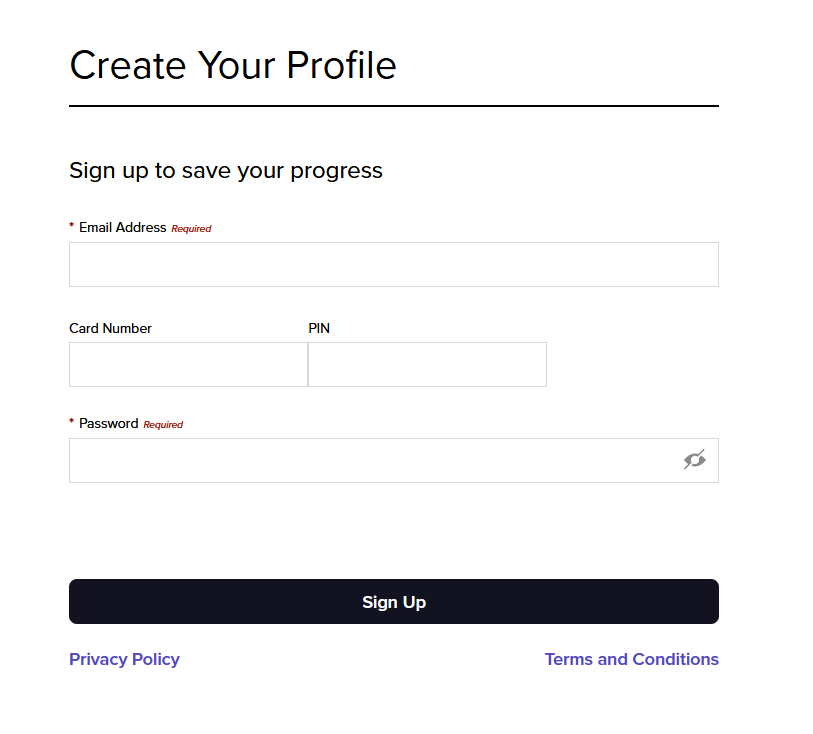
STEP 1: Sign Up
Every library card holder will need to create a Mango profile:
- Click link to sign up
https://connect.mangolanguages.com/alpenalibrary/start - Click Sign Up

STEP 2: Create A Profile
Every patron will have to have a valid email address and updated library card to create their Mango profile
- Fill out required fields
- Click Sign Up